
Enabling One Click Access on Portal Link
Here are the steps to quickly turn on the setting to allow for the portal to open up for the customer without the need to enter a pin number to access the Customer Portal.
Step to turn on:
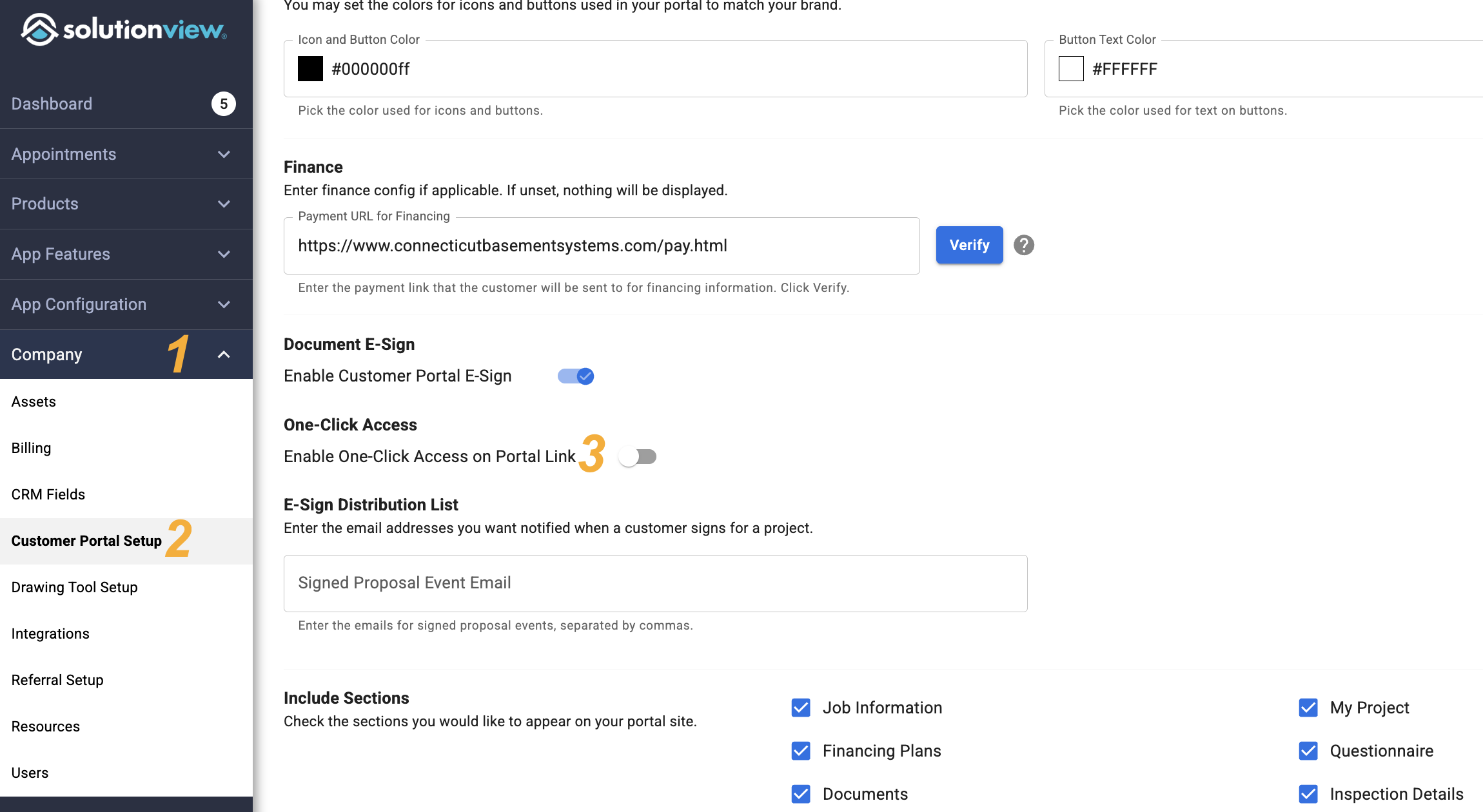
- In the admin click on the "Company" section to expand that section
- Click "Customer Portal Setup"
- Toggle on "One-Click Access"
- Any new appointment will automatically begin to use this new enabled setting
Other customer portal How-to's can be found: