Turning On Customer Portal
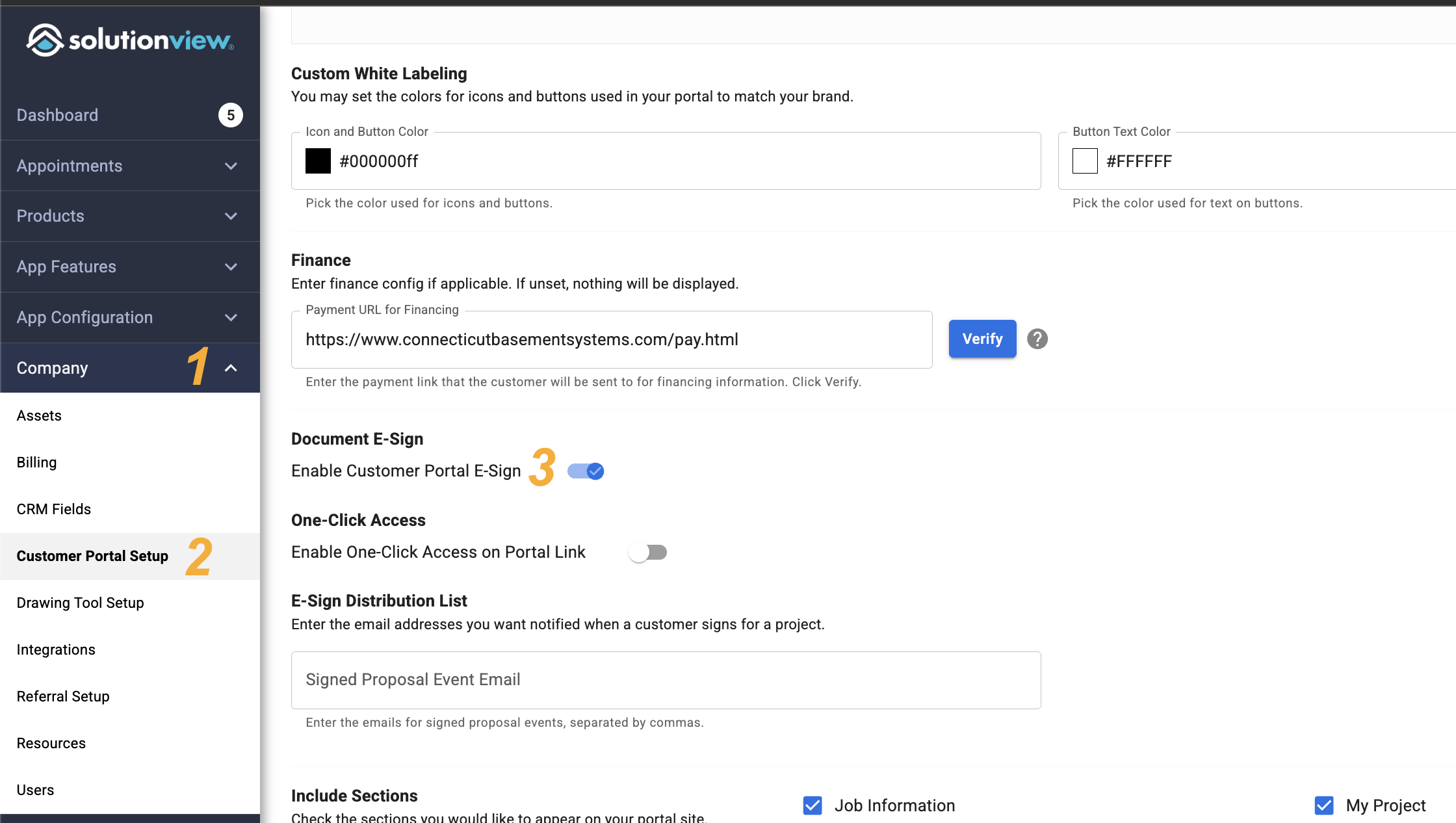
Here are the steps to turn on the Customer Portal
- Click "Company" section to expand the drop down
- Click the "Customer Portal Setup"
-
Now scroll to Section Labeled "Document E-Sign" and toggle on "Enable Customer Portal E-Sign"