
Tiered Pricing
What is tiered pricing?
Tiered pricing as a model (also known as price tiering) is used to sell your products within a particular price range. Once you fill up a tier, you move to the next tier, and you will quote the products according to the quantity of products you have in those respective tiers.
Units Based Tiered Pricing
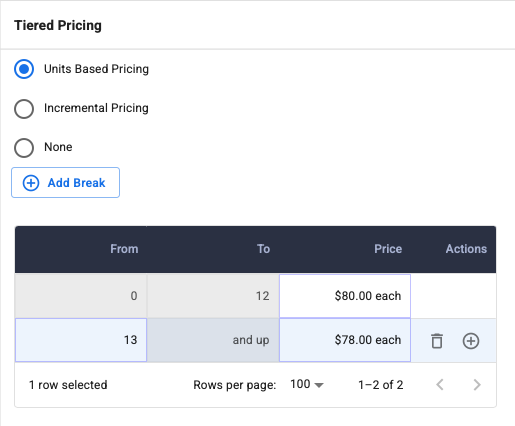
All product units will be equal in price. In the example below, if the user quotes a quantity of 12 widgets using units-based tiered pricing, the total would equal $960.00.
Each unit equals $80.00/per unit x 12 = $960
Incremental Tiered Pricing
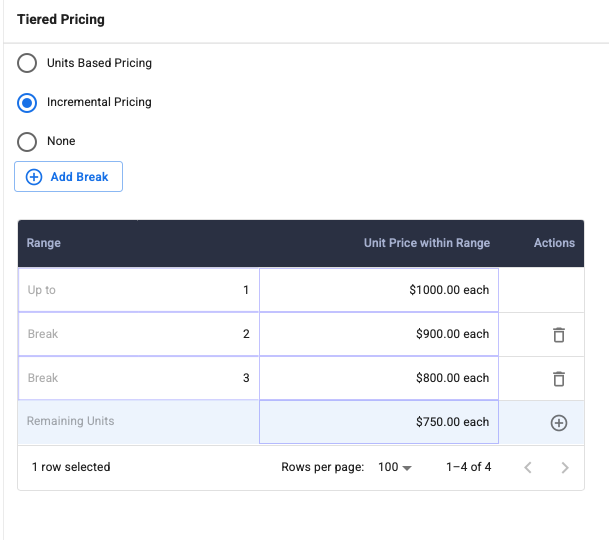
All product units may not be equal in price. When pricing moves into each tier, only the product quantities in that tier get the tier's pricing. In the example below, if the user quotes a quantity of 3 widgets using incremental-based tiered pricing, the total would equal $2,700.00.
Unit 1 = $1,000.00, Unit 2 = $900.00, Unit 3 = $800.00 ($1,000.00 + $900.00 + $800.00 = $2,700.00)
Note: Incremental Tiered Pricing can only increase with each tier
Tiered Pricing Setup
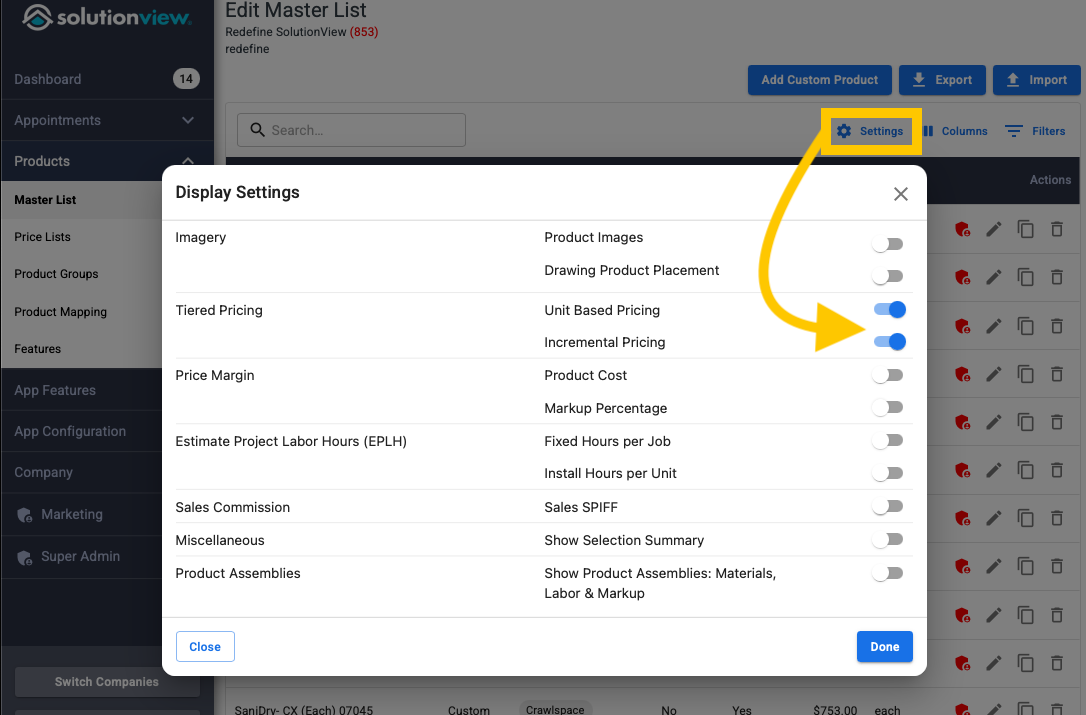
- Ensure you have tiered pricing turned on in the Master List or Pricing List. To do this, select the settings icon in the top right of the product table.
-
Next, navigate to the Tiered Pricing section in the Product Editor. Unlock the ability to edit this section if necessary and then complete the type and table to meet your goals.
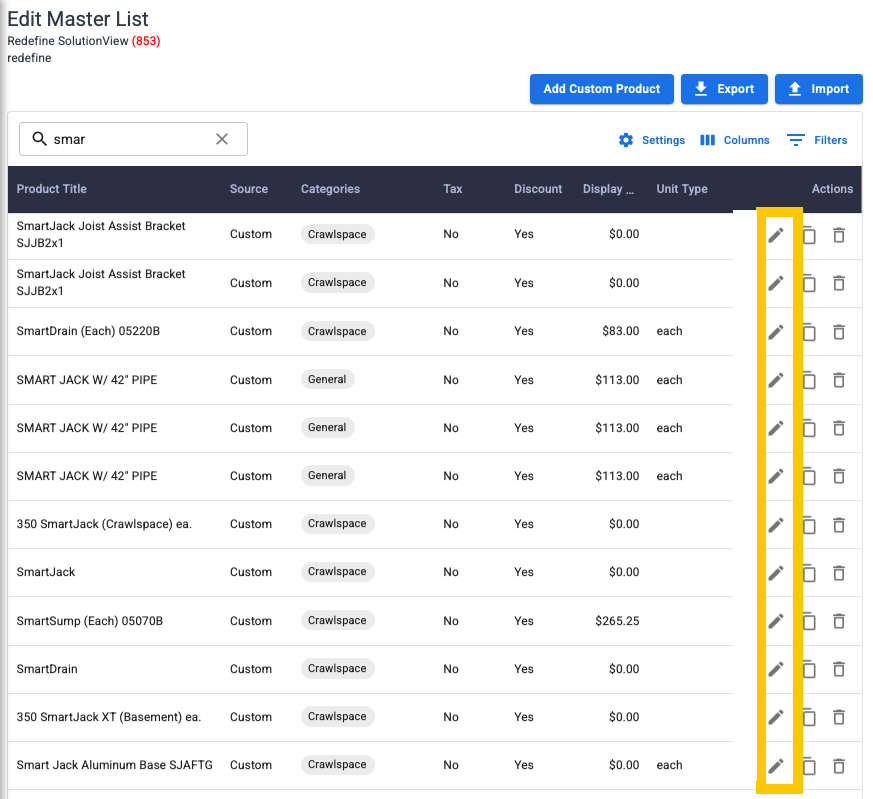
1st Click the pencil on the product you want to modify tiered pricing too
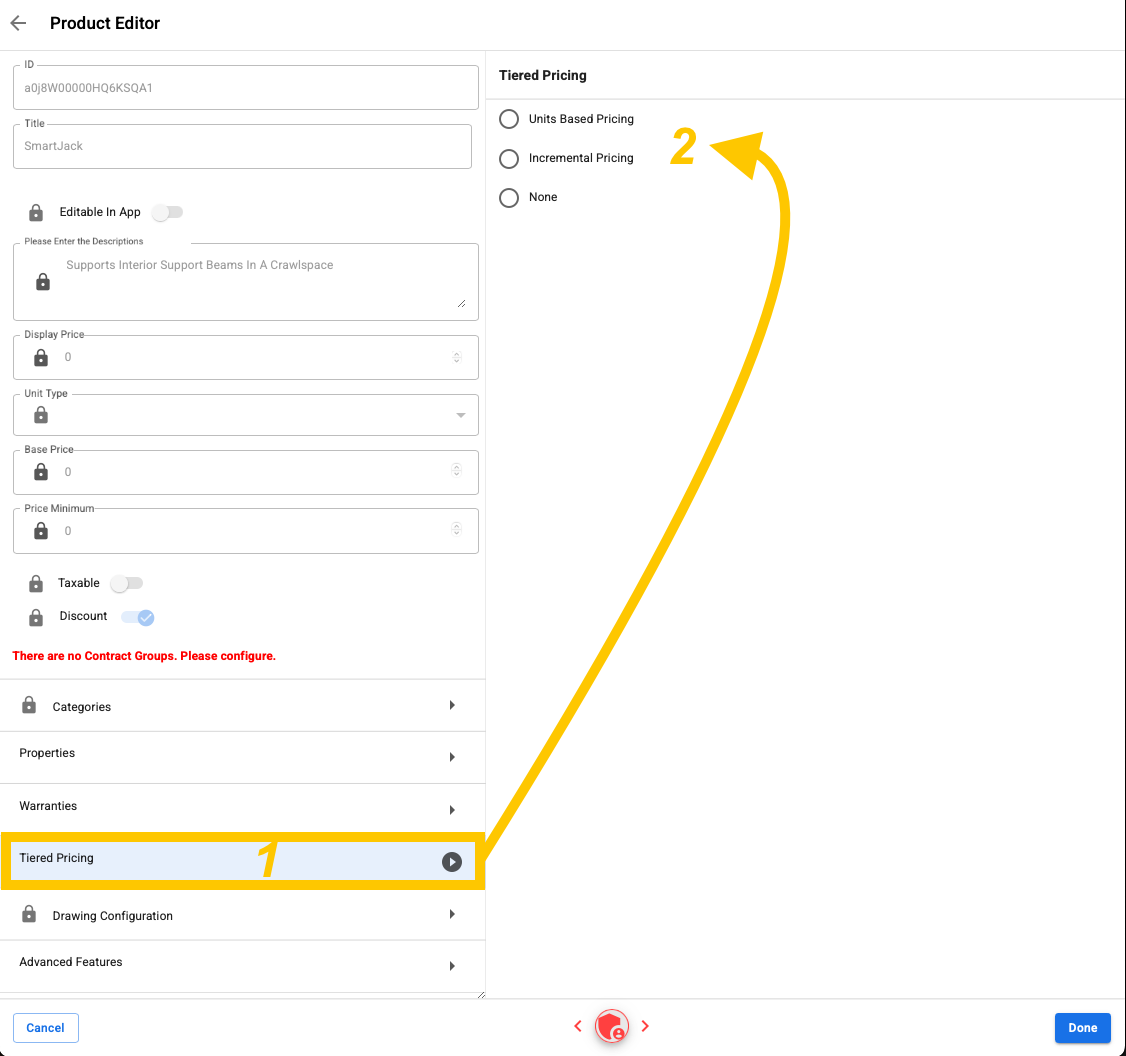
2nd Click on "Tiered Pricing" to open the tiered options to select from
-
When you are finished, press Done and press Save on the following screen.
- The Step would be to publish the configuration so that it can be used on your iPad
